Issue Tracker
Overview
The Issue Tracker is a component in Braiins Manager designed to manage and track issues efficiently within mining data centers. It allows to create, monitor, and resolve issues, ensuring smooth daily operations.
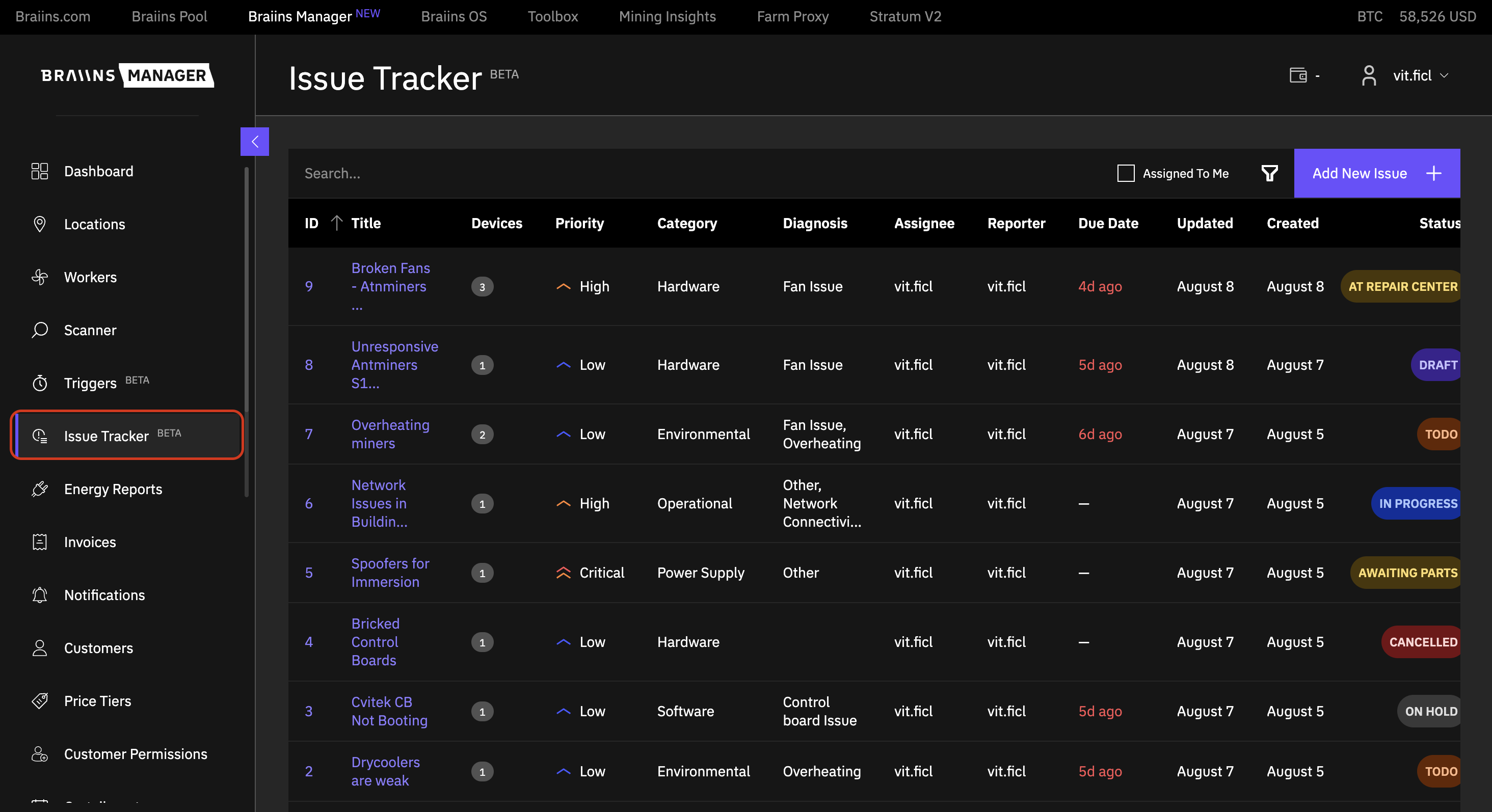
Issues can be viewed and managed exclusively by Providers. The component is accessible from the left navigation bar.
Issue Creation
To create a new issue, click the "Add New Issue" button. The user needs to provide the following information:
- Title: A brief name for the issue
- Description: A detailed explanation of the issue (Optional)
- Devices: List of devices affected by the issue, with links to those devices (Optional)
- Category: Category of the problem, aiding in the easy navigation and segmentation of issue types
- Diagnosis: Issue diagnosis to pinpoint the problem's source (Optional)
- Assignee: Issue assignment to a Provider (account) responsible for the issue
- Due Date: Due date for resolving the issue (Optional)
- Priority: Priority level of the issue
- Status: Current status of the issue
- Add Attachment: Option to attach files to the ticket, maximum 10 files, up to 50MB each (Optional)
Issue List
The main page of the Issue Tracker displays a list of all issues. Users can sort issues by other attributes and apply filters as needed.
Viewing and Editing Issues
Users can view an issue by clicking on its Title or ID, which opens the issue in a detailed view.
In the detailed view, users can edit the issue by double-clicking on the relevant fields. This allows for quick edits to the following fields:
- Title,
- Description,
- Assignee,
- Priority,
- Category,
- Diagnosis,
- Assignee,
- Due Date.
Users can also attach files or modify assigned Workers post-creation.
Commenting on Issues
Users can add comments to issues by entering text in the comment section while the issue is open. Submitted comments are displayed at the bottom of the ticket, along with the commenter's information and a timestamp. All comments can be scrolled through for review.
Issue Tracker Integration with Workers
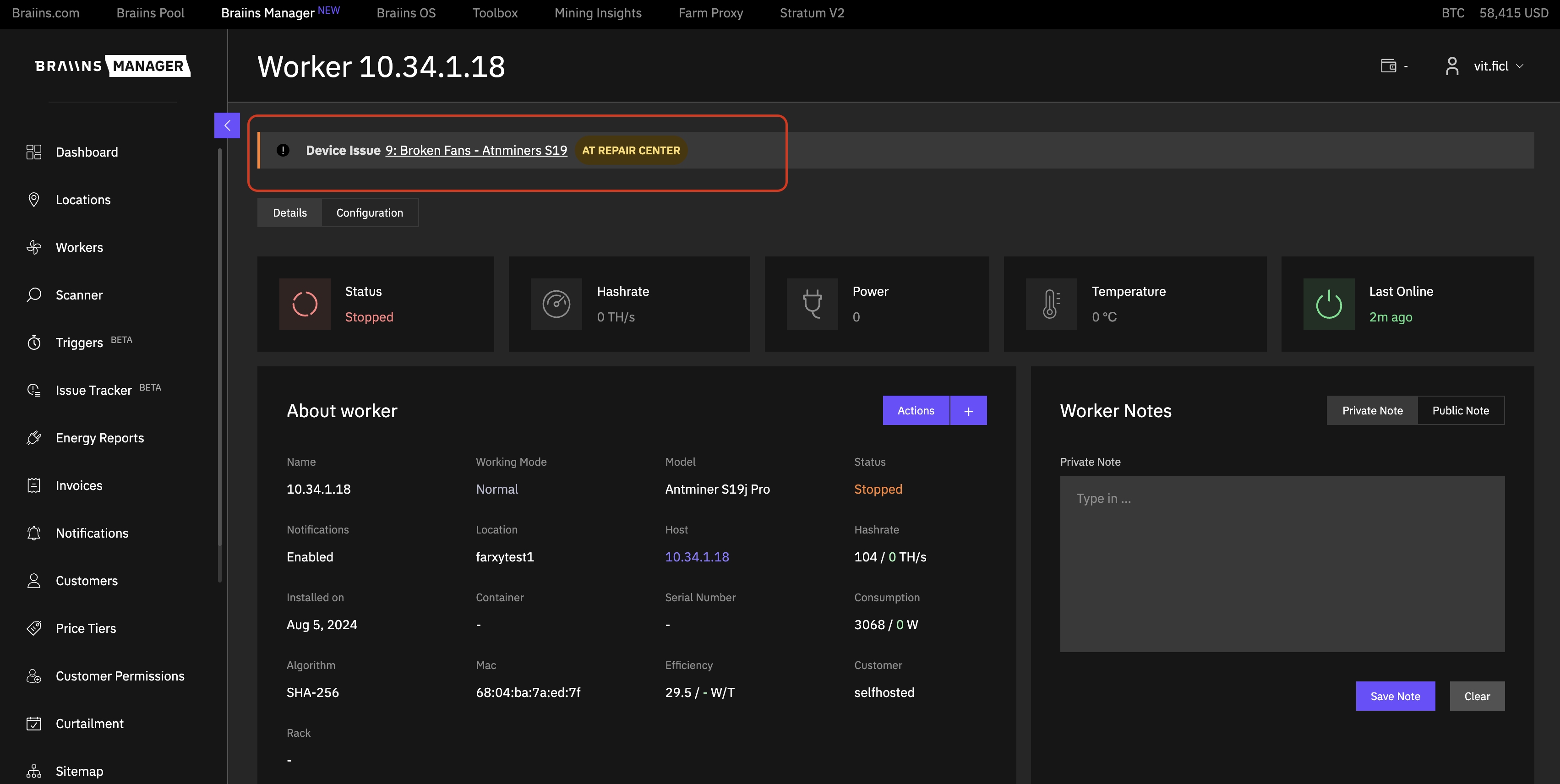
On the Worker detail page, a notification bar at the top of the screen displays all associated active issues. Active issues are those with a status other than Draft, Cancelled, or Done.
Permissions
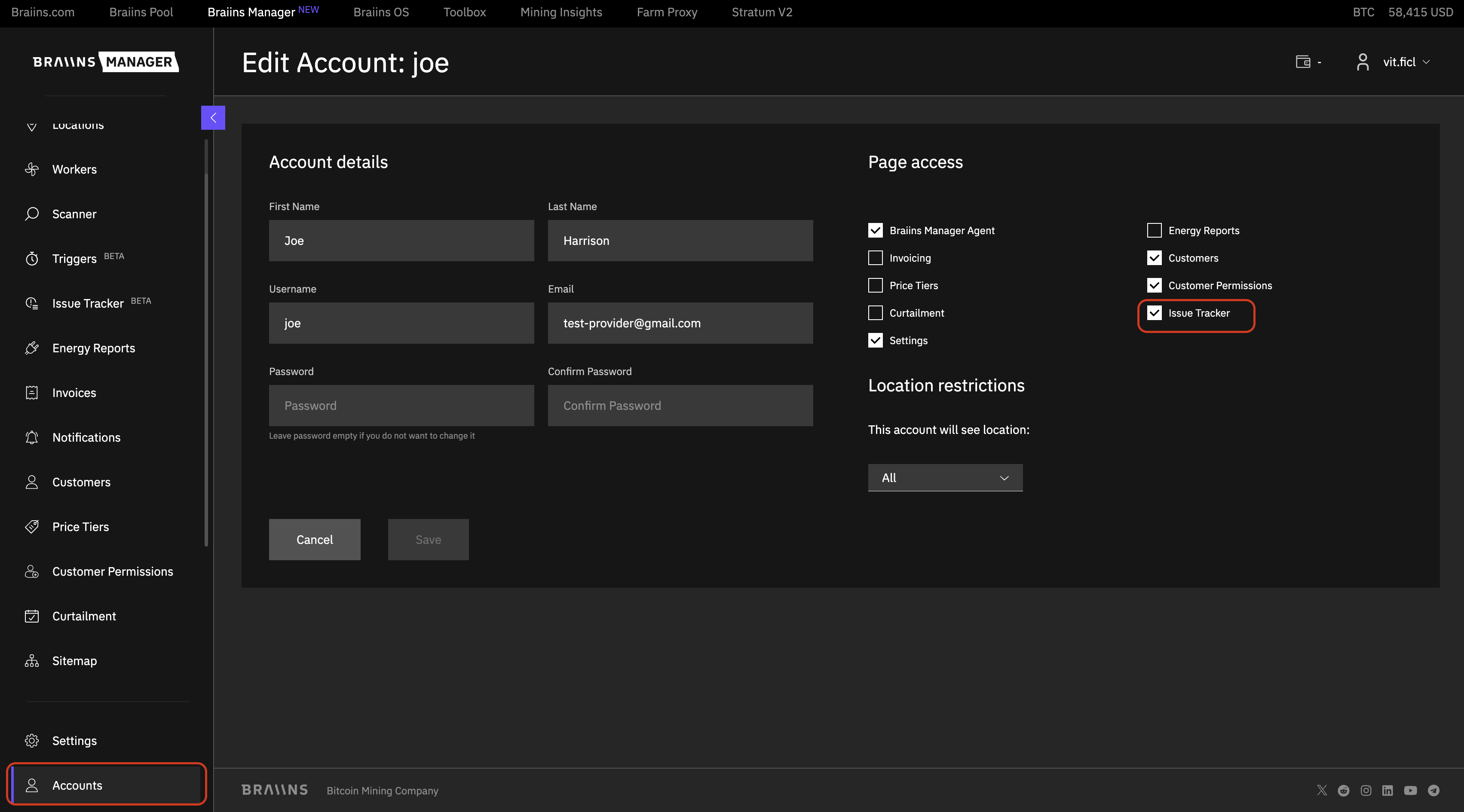
The Main Provider can manage team members' permissions, including access to the Issue Tracker feature. If enabled, the account holder can create, view, comment on, and edit issues. If disabled, the account holder cannot access or interact with issues.