Alarms
The Deck works as an alarm clock. You can set as many alarms as you like, each with its own time, days, sound and snooze rules. When one rings, the Deck plays the sound and shows the alarm on the whole screen. If the light strip is on, it pulses orange.
Set an Alarm
You create alarms in the web interface, from your phone or computer.
- Open the web interface and choose Alarms in the menu.
- Choose Add New Alarm.
- Set the Time.
- Under Repeat, all days start selected. Tap the days you do not want. Deselect them all for a one-off alarm.
- Optionally, type an Alarm Name, such as "Gym". The name shows on the Deck when the alarm rings.
- Pick an Alarm Sound. The play button plays it on the Deck's speaker.
- Turn Snooze on or off.
- If snooze is on, choose the Snooze Limit (3 snoozes, 5 snoozes or Forever) and the Snooze Duration (5, 10, 15 or 30 minutes). A new alarm starts with 3 snoozes of 5 minutes.
- Choose Add New Alarm.
The time uses the 12-hour or 24-hour format you chose in System Settings. Several alarms can share a time, for example 07:00 on weekdays with one sound and 07:00 at weekends with another.
Manage Alarms
Alarms lists every alarm with its time, name, days, sound and snooze setting.
- Switch an alarm off with its switch. It stays saved for later.
- Edit an alarm to change it, then choose Confirm Changes.
- Delete an alarm you no longer need. This works even while the alarm is snoozed.
When an Alarm Rings
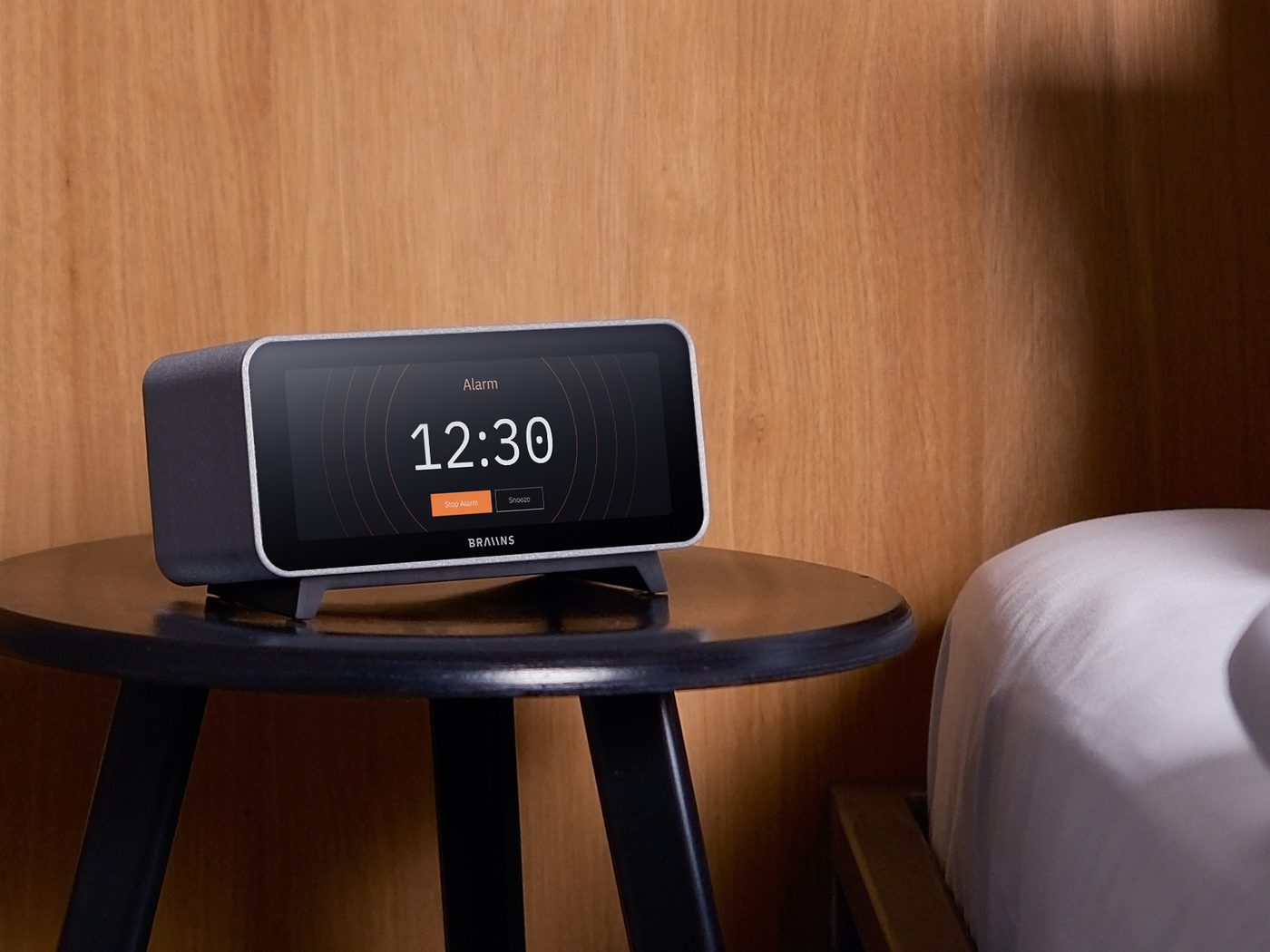
The alarm covers whatever is on screen, even when the screen was off for the night. Tap:
- Stop Alarm to end it.
- Snooze to silence it for the snooze duration. It rings again afterwards.
Once you have used up the snoozes the alarm allows, Snooze no longer appears, and the next stop ends this ring. A repeating alarm still rings on its next day.
An alarm nobody touches stops on its own after 10 minutes. If the buttons ever fail to appear, a tap anywhere on the screen stops the alarm. If the alarm screen cannot be shown at all, the alarm stops after 10 seconds. During night mode, alarms play at the night volume you set in Sound & Light.