FAQ: DPS, Autotuning
What is the difference between autotuning and overclocking?
Autotuning is a process that increases efficiency at any power setting whereas overclocking increases hashrate but typically decreases efficiency. You can read a comprehensive explanation of the difference here.
What is autotuning / per-chip tuning?
Per-chip autotuning is the process of software calibrating the frequencies and voltages on every individual chip on a hash board to achieve higher efficiency.
This means that the software tests the chip's performance at different frequencies and narrows in on the optimal settings to get the most hashes per Watt of energy consumed (maximize W/TH).
Autotuning is a sophisticated tool for improving efficiency at any hashrate level.
How long does the tuning process take?
It depends on your device model and control board and can take several hours.
You can see these stages during the tuning process in the last table (Tuner section) in the Miner > Overview page
🚦 Testing profile performance > Tuning individual chips > Stable
Auto-tune PSU power limit configuration
Braiins OS will distribute the target among expected hashboards for the miner model. Even if a hashboard is disabled/removed/damaged it will still allocate target proportionally.
Example: Running an S19 at 3000W with 1 working hashboard will only apply 1000W to the single hashboard.
Feel free to scale the power accordingly but understand the limitations of the hashboard, PSU and the circuit.
Tuner status shown is disabled?
Please navigate to the top menu > Configuration > Performance and clear all custom values and leave all fields as firmware default, make sure all hash chains are enabled, and please make sure Autotune is enabled. Then click the save & apply button.
Status can be read "disabled" even when just one hash board is disabled or experiencing issues.
It is best to view them individually at the bottom of the main dashboard.
This can be a false indication, as you can have HB6 disabled while HB7 and HB8 are stable.
It shows Tuner Status "disabled" on the right, but the tuner is running fine with the other two.
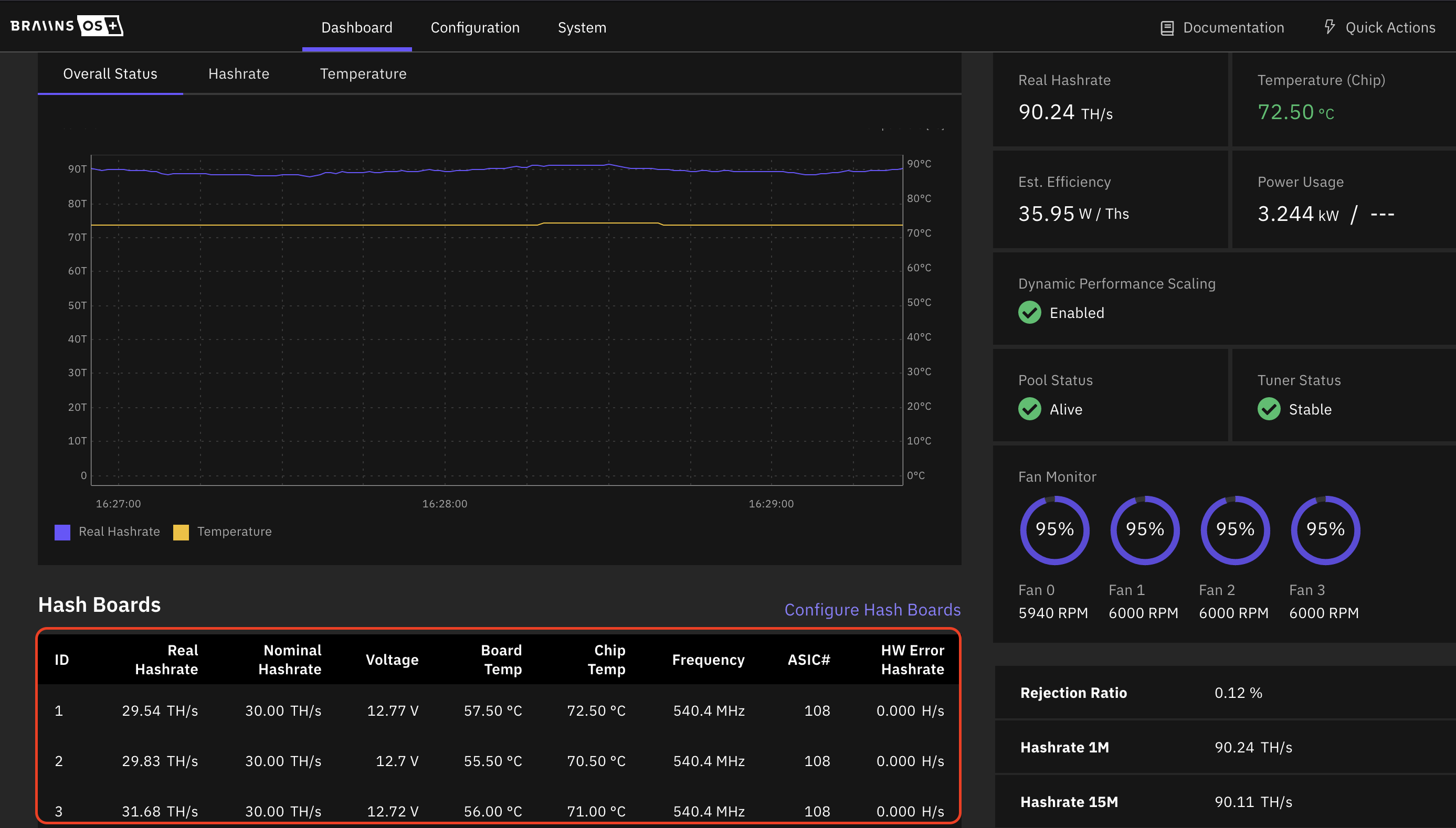
If your issue persists feel free to submit a support ticket.
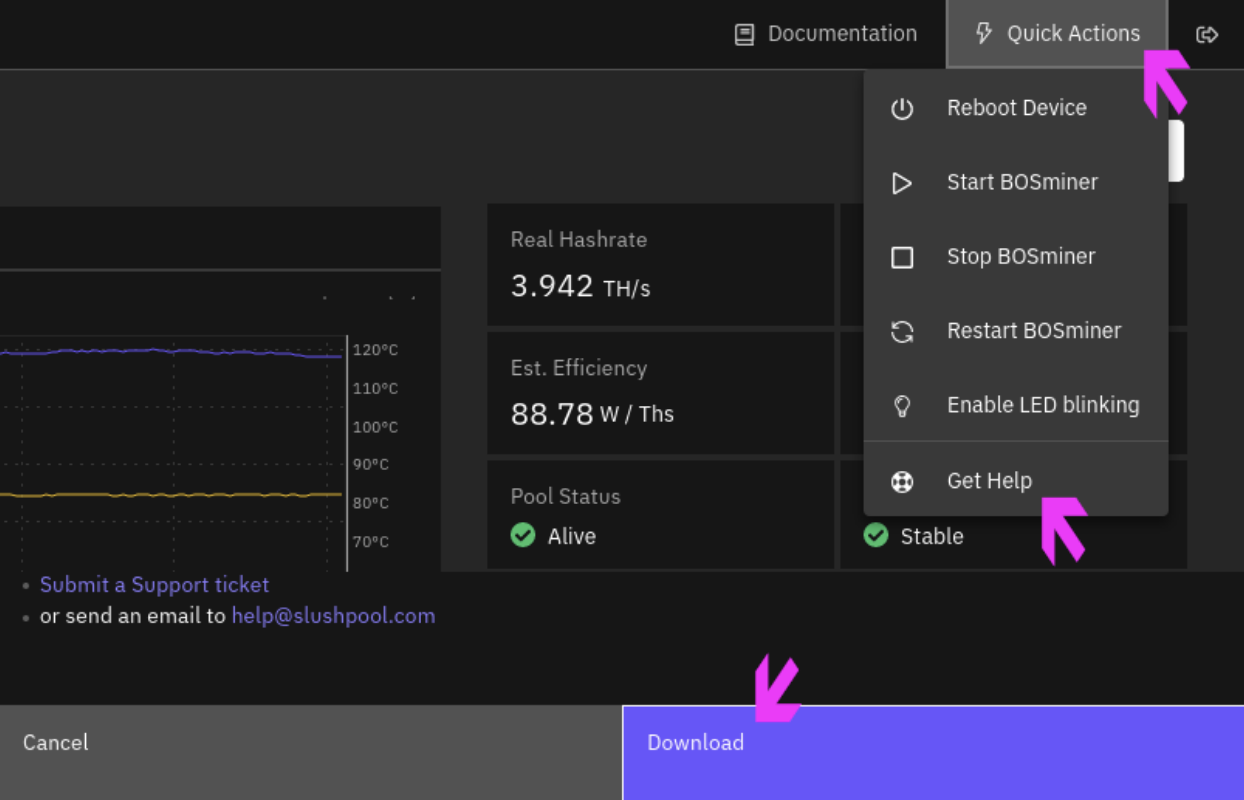
For effective troubleshooting, include the following file to the ticket:
Top Right Menu → Quick Action → Get Help → Download the zip file and attach to the ticket.
When set to immersion mode, the web UI says 100% fan constantly
This is normal behavior, enabling immersion mode disables the fan check on the device.
Is it normal to see power usage exceed power limit?
It is normal. You should measure power at the wall for an accurate indication of power as the software is not accurate.
Also keep in mind power will change with chip temperature, more heat, more watts.
Does Dynamic performance scaling automatically revert once temperatures gets lower?
The dynamic power scaling triggers with HOT temperature, and it can down/up scale on S21 and S19.
Dynamic Performance Scaling needs two conditions for upscaling: The miner's temperature is at least 5 degrees below the HOT limit and the fans are running below 80%.
Where is tuner configuration saved?
The tuner configuration is saved in /etc/bosminer-autotune.json
What is overclocking?
Overclocking is a brute force mechanism for increasing hashrate at the expense of efficiency.
Autotune stabilized and then about 5 hours later start again? No changes were made to restart it. Why?
This could happen if the conditions changed, such as a large change in chip temperature. Or it's simply a chip reaction that needs further adjustment.
This is a standard behavior as miner is adapting to changing environment.