FAQ: Advanced
How to automatically change power limit based on time?
In some countries there is an electricity grid program and the electricity cost is different during the day, so if you want to power up your mining devices with low and high PSU power limit during the day/night you can follow the steps below.
Some power companies will offer alternative power schedules for peak and off peak energy rates.
For Zynq control boards from Braiins OS 22.08 and newer
This will change the device tuner power limit from (anything) to 960w at 9:00AM
This will change the device tuner power limit from (anything) to 1280w at 9:00PM
If you want to make a more complex schedule, see crontab.guru to learn how.
- If the scheduled task field was empty before this, make sure the following two lines appear on top before adding the other lines:
- SSH again to the device and run the command below:
/etc/init.d/cron restart - The end result should look like this:
- Navigate to (System > Status >) System > System and set the device time zone to your proper time zone
How to Start/Stop/Restart BOSminer?
ZYNQ control boards
AML, BBB and CVITEK control boards
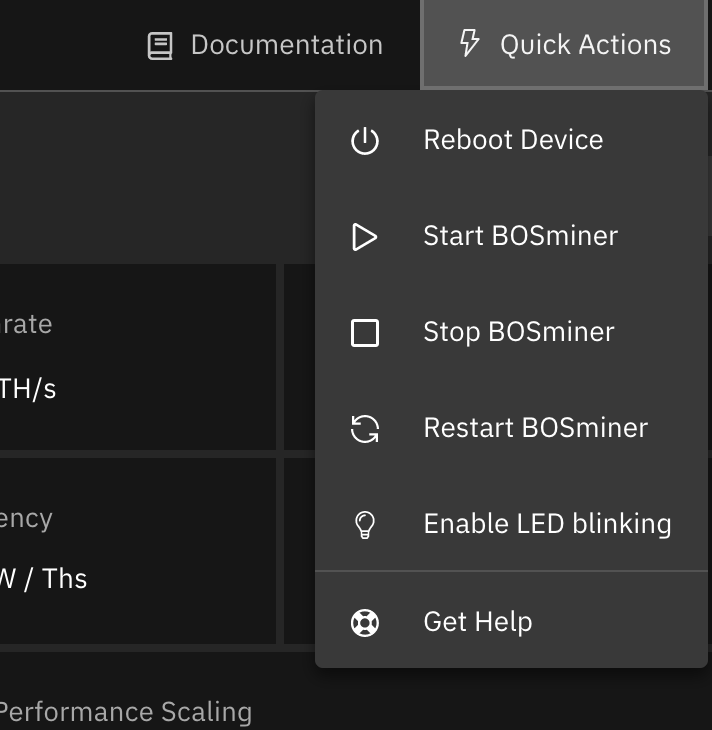
Via Miner GUI - You can use start / stop / restart commands
MAC and IP Address
By default, the device's MAC address stays the same as it is inherited from firmware (stock or Braiins OS) stored in the device (NAND). That way, once the device boots with Braiins OS, it will have the same IP address as it had with the factory firmware. Alternatively, you can specify a MAC address of your choice by modifying the ethaddr= parameter in the uEnv.txt file (found in the first FAT partition of the SD card).