Managing Miner Performance in Braiins Manager
Overview
Braiins Manager allows you to configure the performance of your mining devices by setting power modes (for stock firmware) and power targets (for Braiins OS). This enables operators to efficiently overclock, downclock, or cap power usage across miners.
Power Modes
Applies to: Antminers, Whatsminers, Canaan miners with stock firmware
Modes Available:
- Normal – Default factory mode
- High – Overclock mode (limited support)
- Low – Downclock mode (limited support)
- Sleep – Halts hashing
Some power modes may not be available for all models. Unsupported options will be hidden in the interface. Unsupported options are hidden in the interface. This limitation is tied to the capabilities of the stock firmware itself.
Power Targets
Braiins OS offers greater flexibility for clock speed management by allowing users to set a precise power target as a continuous value, rather than being limited to a fixed set of discrete power modes as in stock firmware.
You can set a specific power consumption target (in watts):
- Input exact power target (e.g., 3500 W)
- Increase/decrease in 250 W steps
- Reset to device default power target
If the miner is currently set to hashrate target and you apply a power target, the miner will restart first. Be aware of this behavior.
Note: : Setting the hashrate target is not currently supported in Braiins Manager.
Viewing Performance
Performance settings are shown in:
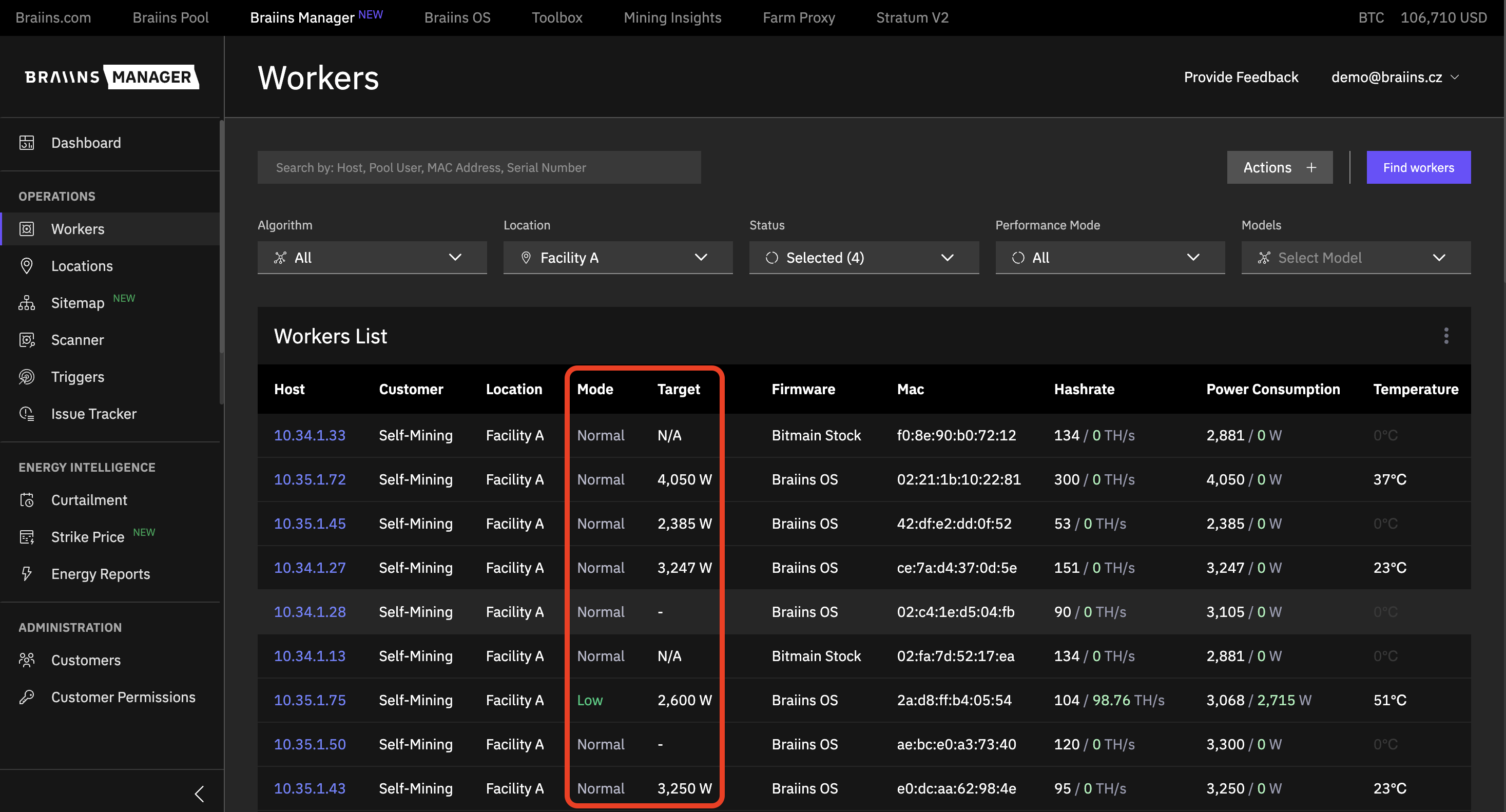
- Workers table → columns:
Mode(Performance Mode),Target(Performance Target)
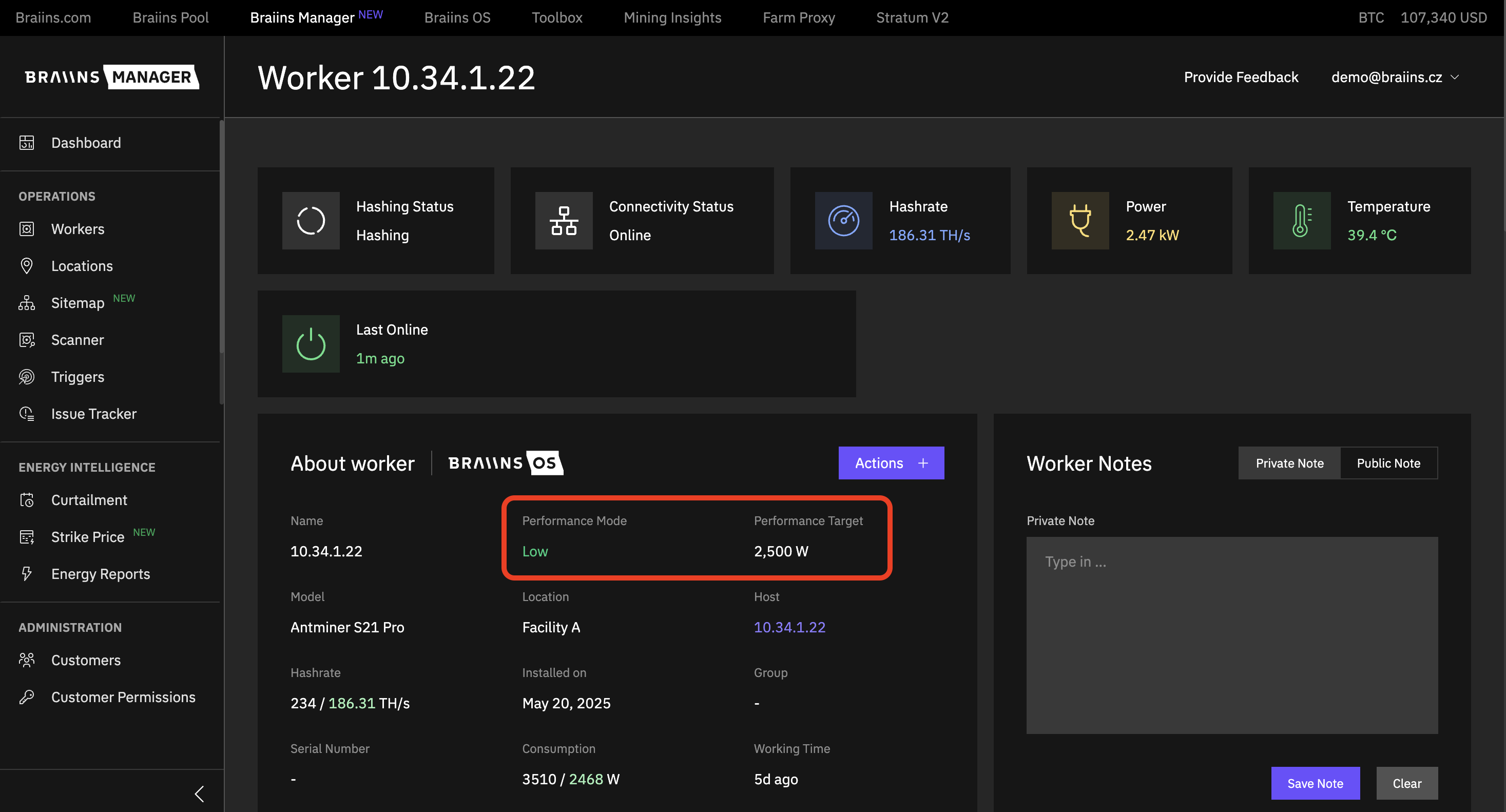
- Worker details page → section:
About Worker, attributesPerformance ModeandPerformance Target
Requirements
To manage performance settings:
- Ensure agent version:
- v3.15+ for Power Mode
- v3.18+ for Power Target