Cooling Management
GUI
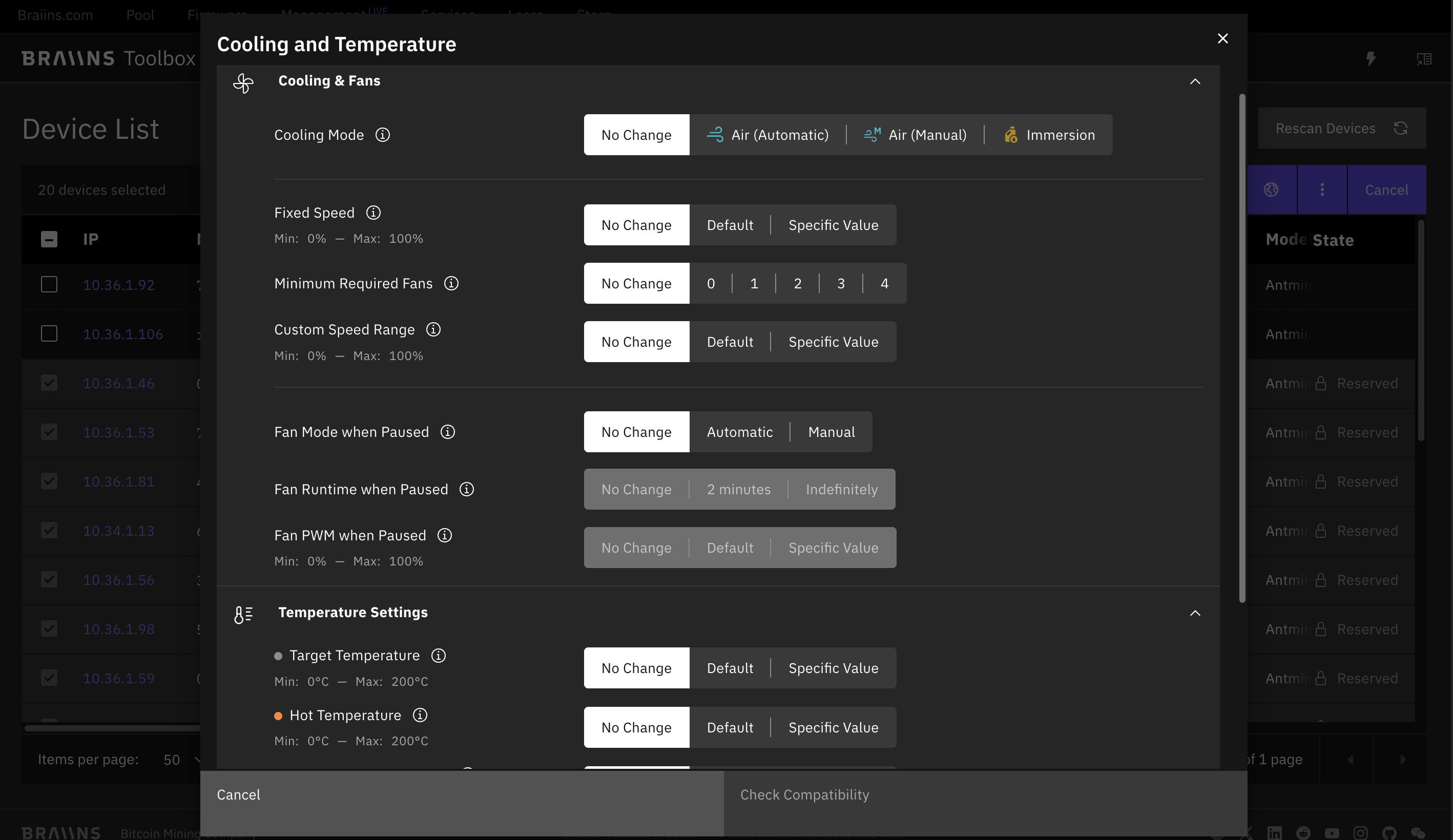
Starting with Toolbox 26.03, Actions > Cooling opens a single modal for cooling, fan, and temperature configuration on Braiins OS devices. This action replaces the legacy Set Cooling Mode flow.
The Cooling & Fans section is expanded by default, while Temperature Settings starts collapsed. Users can choose Automatic, Manual, or Immersion mode, adjust fan-related settings, and optionally set target, hot, and dangerous temperature values. All fields default to No Change, unsupported options are filtered by compatibility checks, and risky manual or custom temperature settings display warnings.
CLI
Starting with Toolbox 25.10, the cooling command has been extended beyond basic mode switching to include full configuration of cooling parameters such as temperature thresholds and fan settings.
The CLI now supports two subcommands:
set: configure cooling mode, temperatures, and fan parameters (new)set-mode: legacy command for switching between standard and immersion modes (deprecated)
Set
The new set subcommand provides unified configuration for all thermal management parameters on supported Braiins OS devices (≥ 25.01).
Supported Parameters
Validation and Behavior
- Conflicting parameters (e.g.,
--fixed-fan-speedwith--mode auto) cause immediate CLI errors. - Devices running unsupported BOS versions are skipped with explanatory CLI messages.
- For immersion/hydro models, fan parameters are ignored with warnings.
Examples
Set manual mode with fixed fan speed at 70%:
Set automatic mode with custom fan range 30–90% and target temperature 70 °C:
Set paused fan mode to manual with PWM 50% (BOS ≥ 25.05):
Apply all configurations on IPs listed in a text file:
Version Requirements Summary
Set Mode (Deprecated)
- ⚠️ Deprecated — use
cooling setinstead. - The legacy command remains functional for backward compatibility but will be removed in future releases.
The previous CLI command for switching between cooling modes:
Possible values for <MODE>:
standard: suitable for air-cooled devicesimmersion: suitable for immersion-cooled devices
Examples
Set immersion mode on a single IP:
Set standard mode on a range of IPs: