Account Management
Creating Your Account
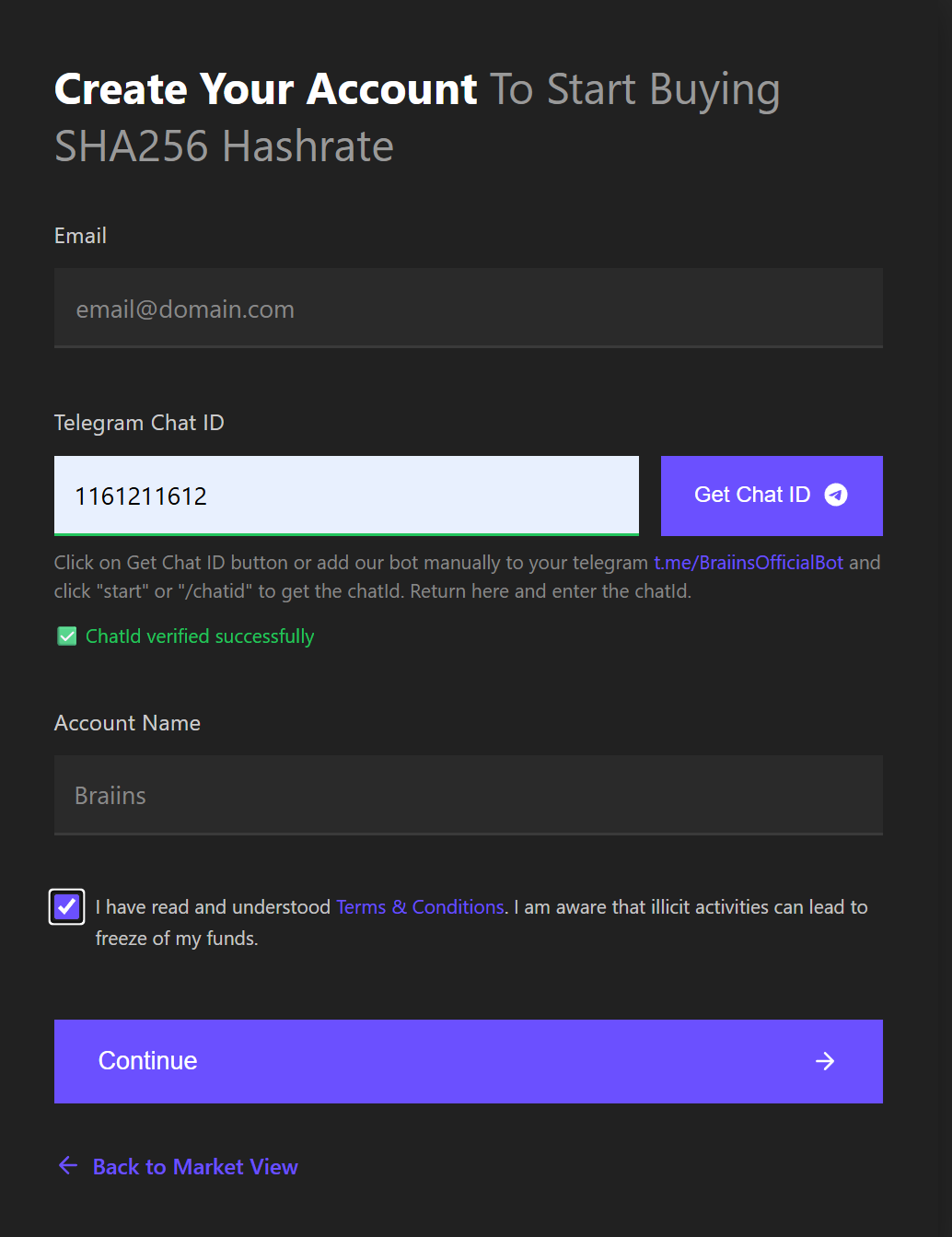
To start using Braiins Hashpower, you need to create an account. The registration process uses Telegram for verification.
Registration Steps
- Navigate to hashpower.braiins.com
- Click Sign Up button
- Complete Telegram verification
- Verify your email address
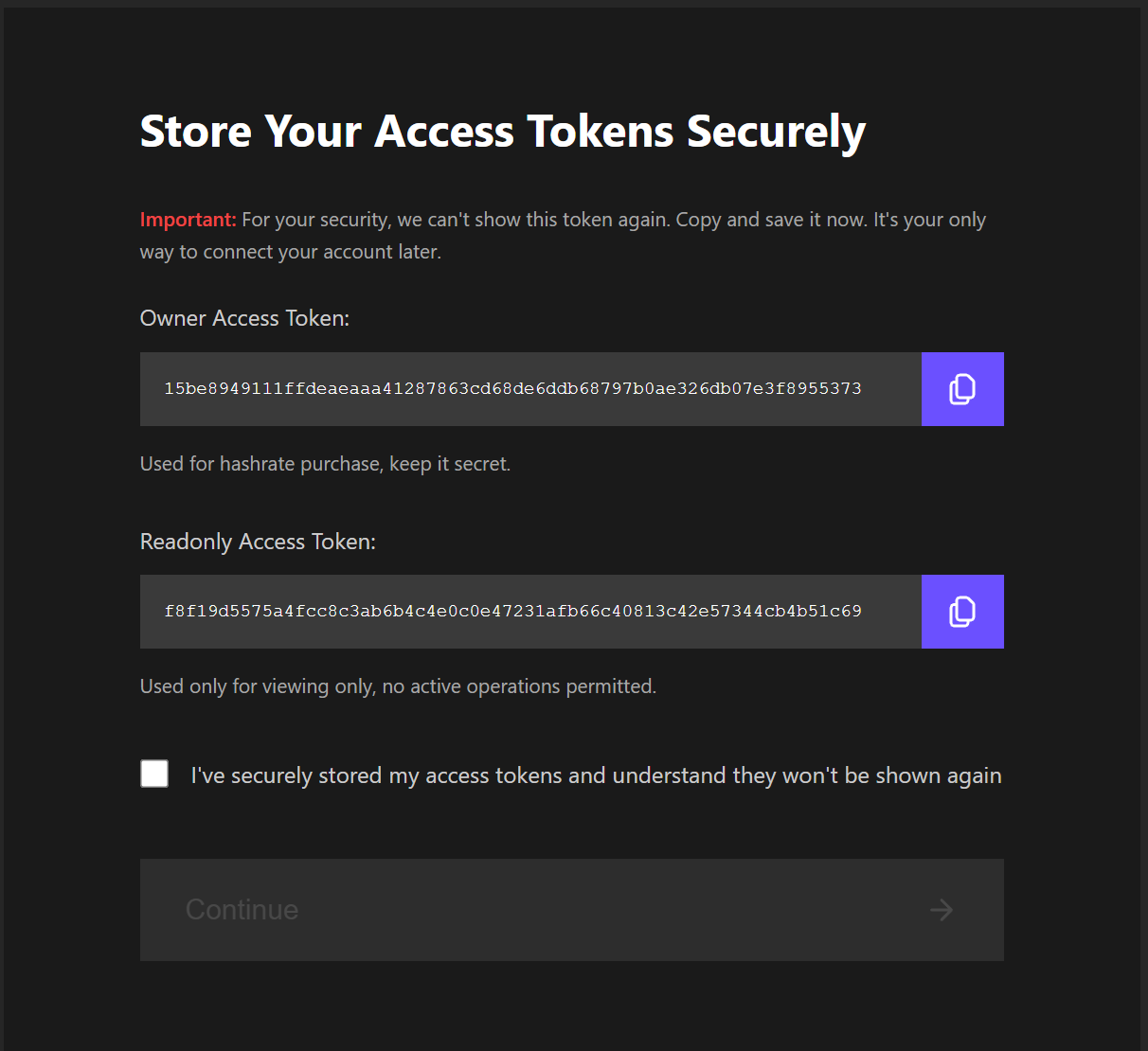
- You will receive two API tokens: Owner (full access) and Read-only (view only)
Save your API tokens securely — they cannot be displayed again after initial creation. If you lose your tokens, you will need to contact support.
Telegram Verification
The Telegram bot (@BraiinsBotOfficial) is used for:
- Account verification during registration
- Two-factor authentication for bid confirmations
- Security notifications
The official Braiins bot will never ask you for your API token or request you to send BTC funds. Any such attempts may be fraud from fake accounts impersonating our bot. Always verify you are communicating with @BraiinsBotOfficial.
Logging In
To access your account:
- Navigate to hashpower.braiins.com
- Enter your Owner API token
- Click Log in
- Your dashboard will refresh with user details in the header and application tabs will appear
You can also use the demo token to explore the platform with simulated data.
Account Tab
The Account tab displays your account information, balance, and transaction history. It is accessible after logging in with your API token.
Basic Information
The Basic Information section shows your account details:
- Account Name: Your account identifier
- Email: Your verified email address
- Deposit Address: Your assigned Bitcoin address for depositing funds to the market
- Applicable Fees: Current fee structure for your account
Account Balance
Balance Display
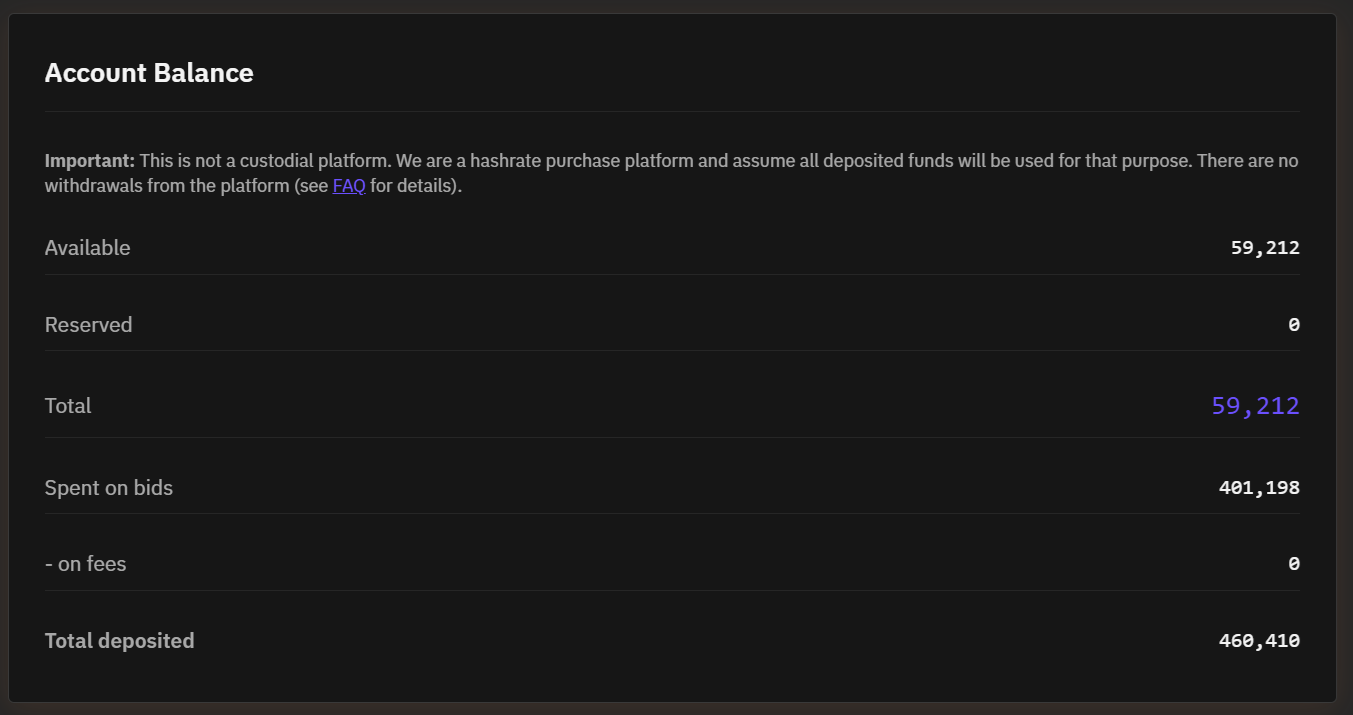
Your account balance section shows:
- Available Balance: Funds ready for trading
- Reserved Balance: Funds committed to active bids
- Total Balance: Available + Reserved funds
- Spent on bids and fees: Funds spent for hashrate and on market fees
- Total deposited: Sum of all deposits
Amounts are displayed in selected currency unit.
Depositing Bitcoin
To fund your account:
- Navigate to the Account tab
- Copy your assigned Bitcoin deposit address or scan the QR code
- Send BTC to this address from your wallet
- Deposit more than the minimum bid amount to avoid ending up with an unspendable balance if your bid gets canceled
- Wait for 3 blockchain confirmations before funds are credited
- We screen all incoming transactions for compliance purposes, and deposits flagged as suspicious may be withheld for manual review. Manual review is performed only on working days and can take up to 48 hours.
Important: Only deposit coins with clear origin. Funds from questionable sources may be subject to additional verification, which may take even longer. In rare cases, funds may be returned to the sender address. Always deposit from your own wallet, not from an exchange or other custodial service.
Transaction History
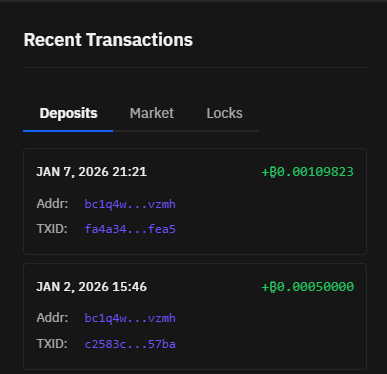
The Transaction History section shows all financial activities in your account.