Finance
Overview
Finance connects your mining pool accounts to Braiins Manager and turns their daily data into two reports:
- Pool Report: daily pool revenue and hashrate per pool account, shown in the app.
- Finance Report: a daily CSV export that checks that the pool paid you a fair FPPS payout.
Supported pools are Braiins Pool and Foundry.
Finance is available on request. Contact Braiins support to enable it for your organization.
Access
Finance is a tab on the detail page of a self-mining customer, which is the customer that represents your own fleet. It is not available for hosting customers.
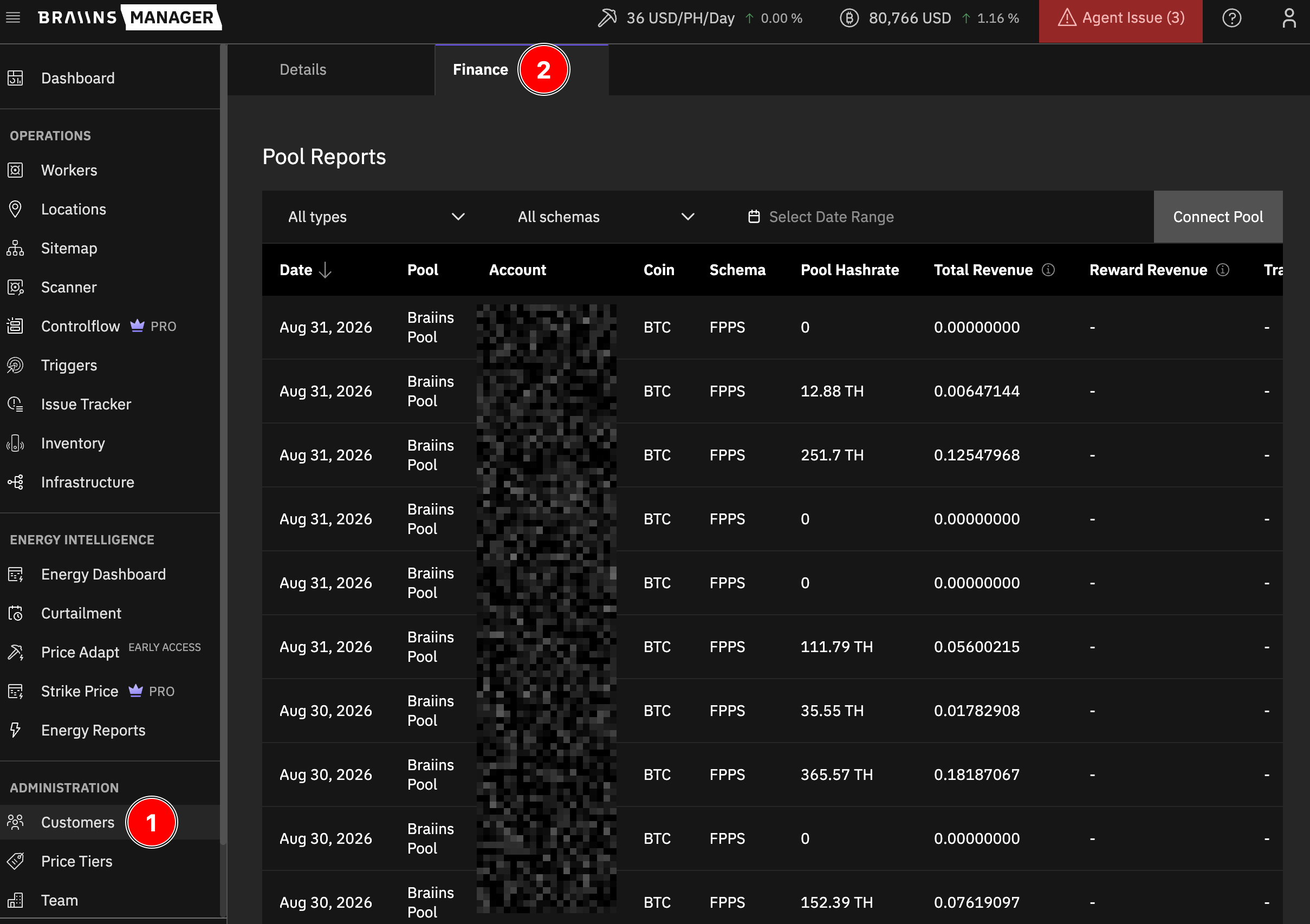
- Go to Customers (1) and open your self-mining customer.
- Select the Finance tab (2).
The tab is visible to Provider Admins whose organization has the Finance Reports permission, and to Provider accounts with Finance Reports page access.
Connect a Pool
- On the Finance tab, click Connect Pool.
- Click the tile of your pool, then Add Integration. The Connect Pool page for that pool opens (3).
- Enter the Account Name and the API Key.
- Click Save.
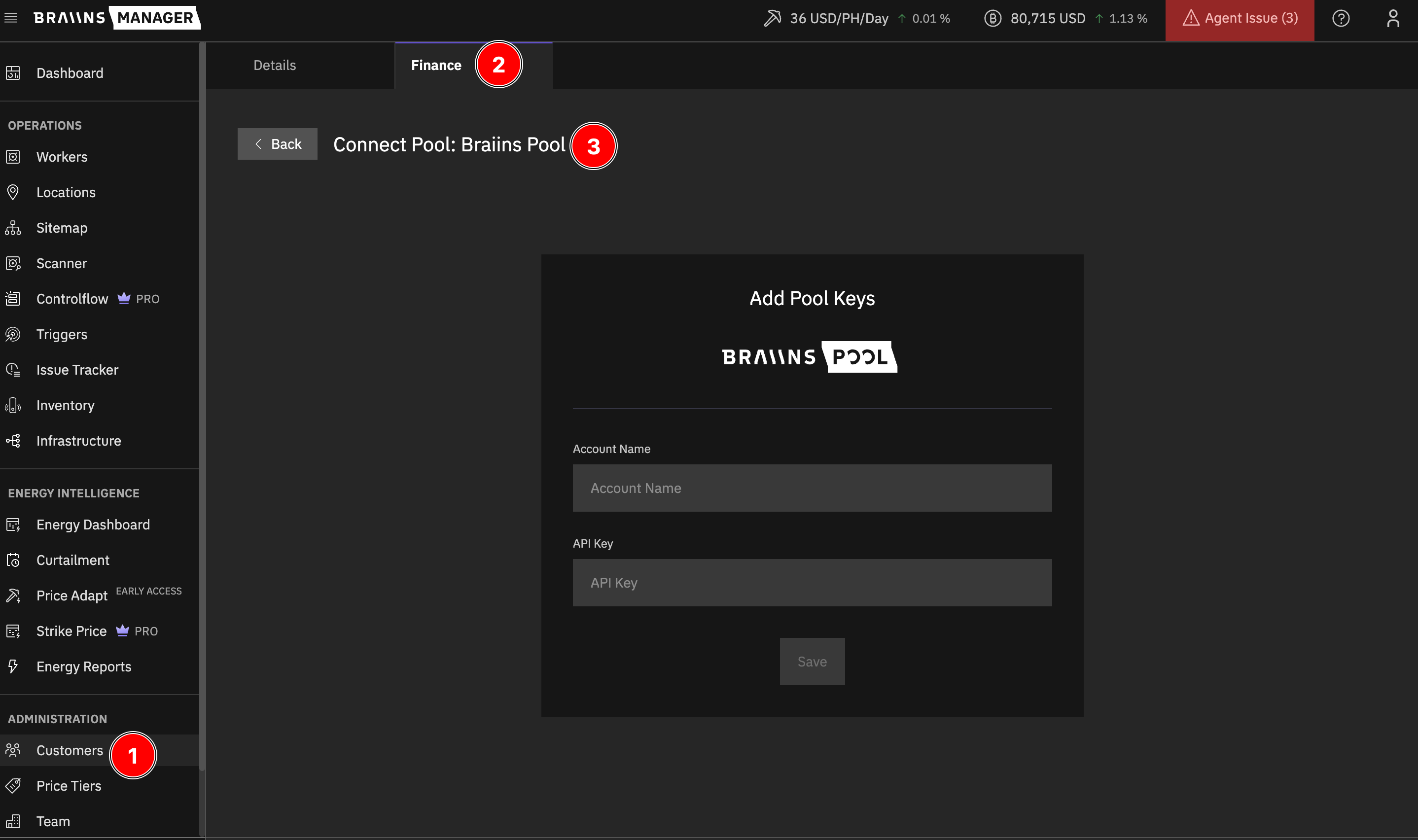
Braiins Manager verifies the key with the pool before it saves the integration. If the key is not valid, you see Credentials are not valid.
For Braiins Pool, create the API key under Allow access to web APIs. One key covers all sub-accounts in the group, and each sub-account gets its own rows in the reports.
To manage a saved account, open the pool tile and use the account menu: Edit account, Activate or Deactivate, and Remove account. Reports that you already created stay available after you remove an account.
Create a Report
On the Finance tab, click Create Report and select the report type.
Pool Report
- Select an integration and a date range.
- Click Create.
The rows appear in the Pool Reports list. Each row shows one pool account for one day. For Braiins Pool, Total Revenue is the reward after the pool fee, including BOS+ and referral bonuses. Braiins Pool does not split the reward into block reward and transaction fees, so Reward Revenue and Transaction Revenue show -.
Finance Report
- Enter a Name.
- Select one or more Integrations.
- Select a Location. This is needed only for the Recorded Average Hash Rate column.
- Select a Date range.
- Click Get Finance Reports CSV.
Finance Report Columns
The CSV has one row per day. If the range includes more than one pool, each pool gets its own row. Braiins Pool gets one row per sub-account.
A cell stays blank when the pool or the network data for that day is not available.
How the Payout Check Works
Both pools pay on FPPS (Full Pay Per Share). See the Braiins Pool FPPS specification. Network block data comes from all Bitcoin blocks of the day.
- Network FPPS Rates = (1 + sum of block fees / sum of block subsidies) x 100.
- PPS base = average block subsidy x account hashrate x 86,400 / (average difficulty x 2^32).
- Expected FPPS payout = PPS base x network FPPS proportion x (1 - pool fee).
- Coin Difference = expected FPPS payout - actual mining revenue.
The inputs differ per pool:
Bonuses do not depend on blocks or fees, so Braiins Manager excludes them from the Braiins Pool check. On days when the network difficulty changes, the two FPPS rates can briefly cross and Coin Difference can be slightly negative. This is expected.