Add or Remove a Passkey
A passkey signs you in without a password. You unlock it the way you unlock your device — fingerprint, face, or screen lock — and because your device has already checked that it is you, Braiins ID does not ask for a second step.
A passkey is not a 2FA security key. A passkey replaces your password and the second step. A security key is the second step, used after your password. One device can hold both: a phone, a laptop, a password manager, or a hardware key such as a YubiKey. But each is registered in its own place — passkeys under Log In Methods, security keys under Two-Factor Authentication — and registering a device as one does not register it as the other.
Your browser or operating system controls the device prompts. Their appearance depends on your device, browser, and credential storage provider.
Add a Sign-In Passkey
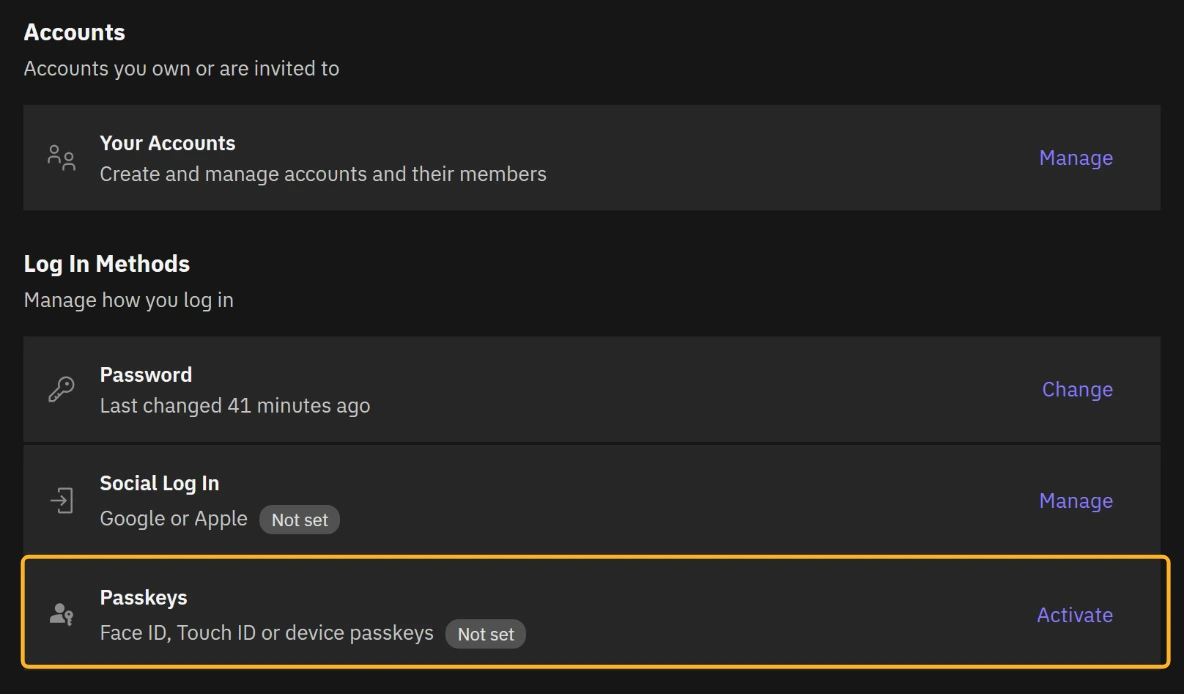
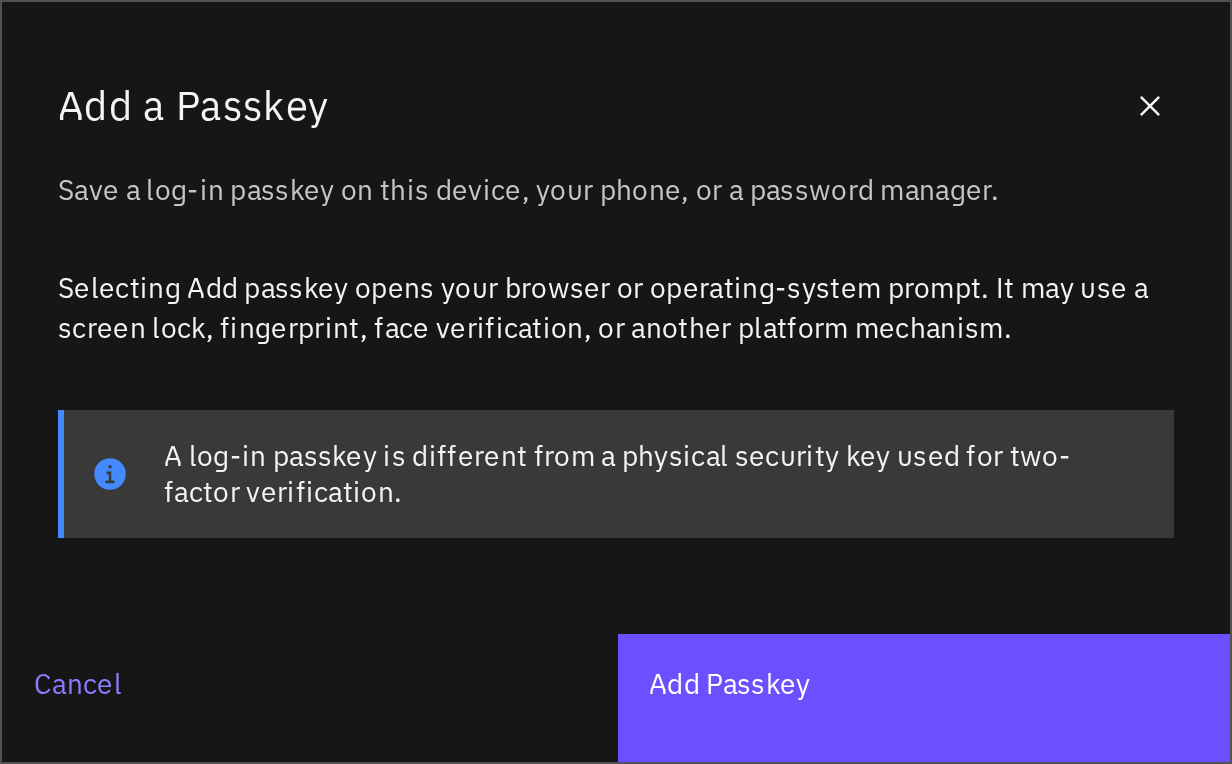
Managing passkeys requires an active authenticator app or 2FA security key. Until then, Activate and Manage look unavailable; pointing at or focusing one shows Set up two-factor authentication first. See Set up an authenticator app. This requirement also applies when removing a passkey.
- Open Braiins ID at identity.braiins.com.
- Under Log In Methods, select Activate next to Passkeys. If you already have one, select Manage, then Add Another Passkey.
- Verify again if you are asked to.
- Select Add Passkey.
- Follow your browser's prompt to choose where to save the passkey and verify with your device's screen lock, fingerprint, face verification, or another offered method.
- Return to Manage Passkeys and check that the new credential is listed.
To use it, select Passkey under Or Continue With on the sign-in screen. Keep another working sign-in method available until you have successfully used the new passkey.
Remove a Passkey
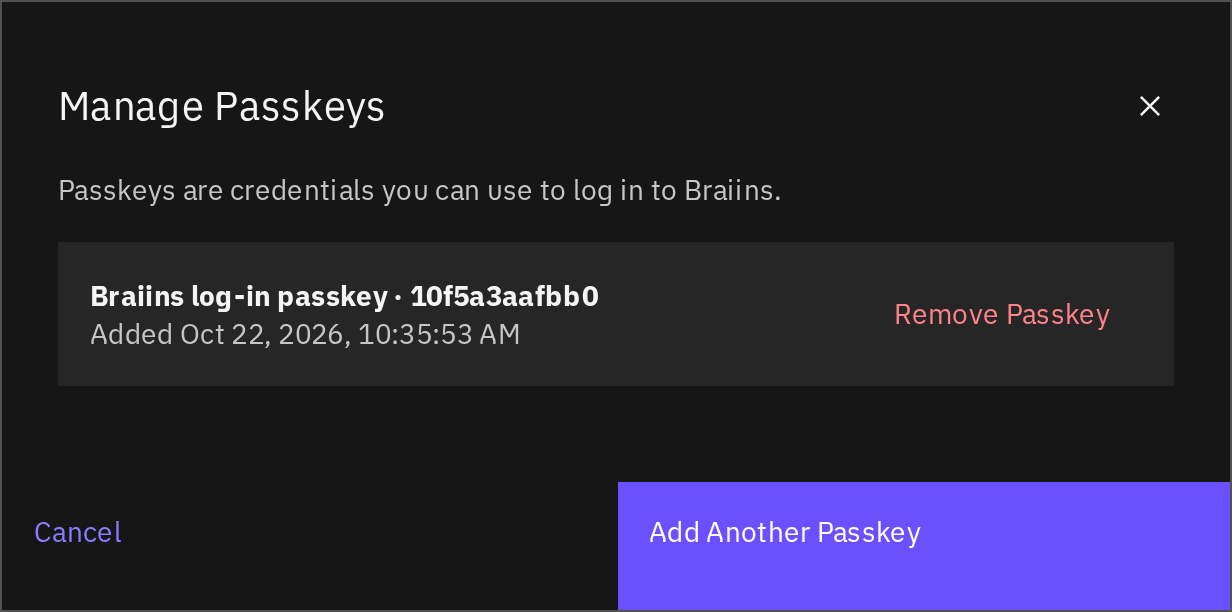
- Open Braiins ID, scroll to Log In Methods, and select Manage next to Passkeys.
- Identify the credential you no longer need. Check its displayed name and added date.
- Select Remove Passkey for that entry and complete any verification or confirmation requested.
- Check that the entry has disappeared from the list.
You cannot remove your last available sign-in method; add another first. Removing a registration from Braiins ID does not necessarily delete the stored credential from your device or password manager. You can remove the obsolete copy there separately.